1%

Figma

My Work

Welcome to my daily design laboratory. Here, I tackle a new UX challenge every twenty-four hours to refine my craft and sharpen my strategic thinking.
Sam Malone

Solo Designer

Challenge 1

The Brief


Design a secure, high-conversion entry point for Verity, an institutional-grade asset management platform. The primary challenge was to transform a legally-heavy KYC (Know Your Customer) process into a premium "Vault Creation" experience within a 24-hour timeframe.


Scope and Focus


This case study focuses exclusively on the initial sign-up and identity verification flow. By isolating this phase, I optimised the most critical conversion point: the transition from an interested visitor to a verified investor.

What is Verity?


Verity is a disruptive Fintech firm specialising in fractional asset management.


  • The Vision: To democratise access to exclusive investment classes such as venture capital, private equity, and luxury real estate.
  • The Problem: High-value investing usually involves manual paperwork and significant friction.
  • The Solution: A digital-first platform where transparency is the core product. The name Verity reflects the brand's commitment to blockchain-backed asset verification and institutional-grade security.

User Flow


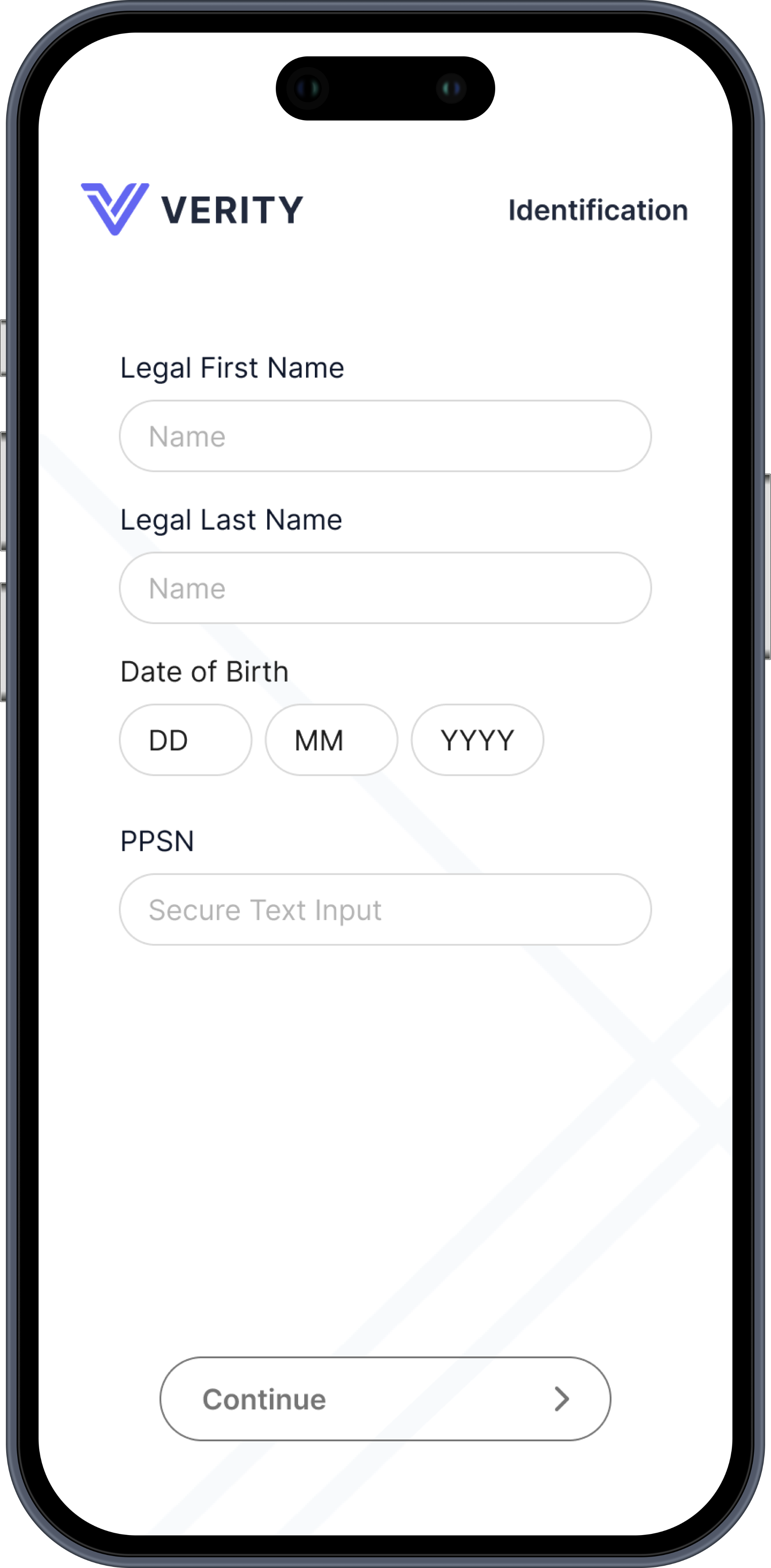
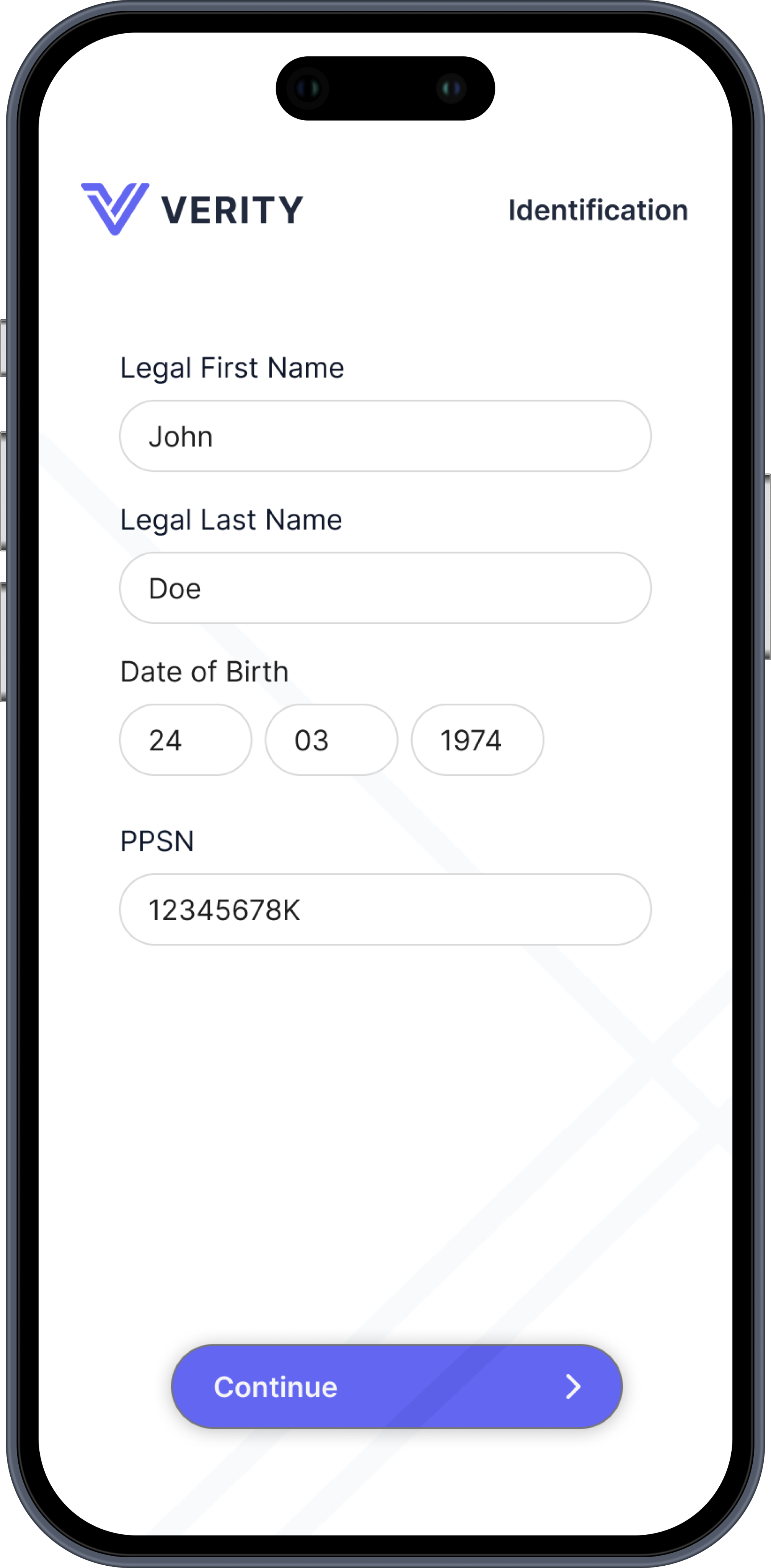
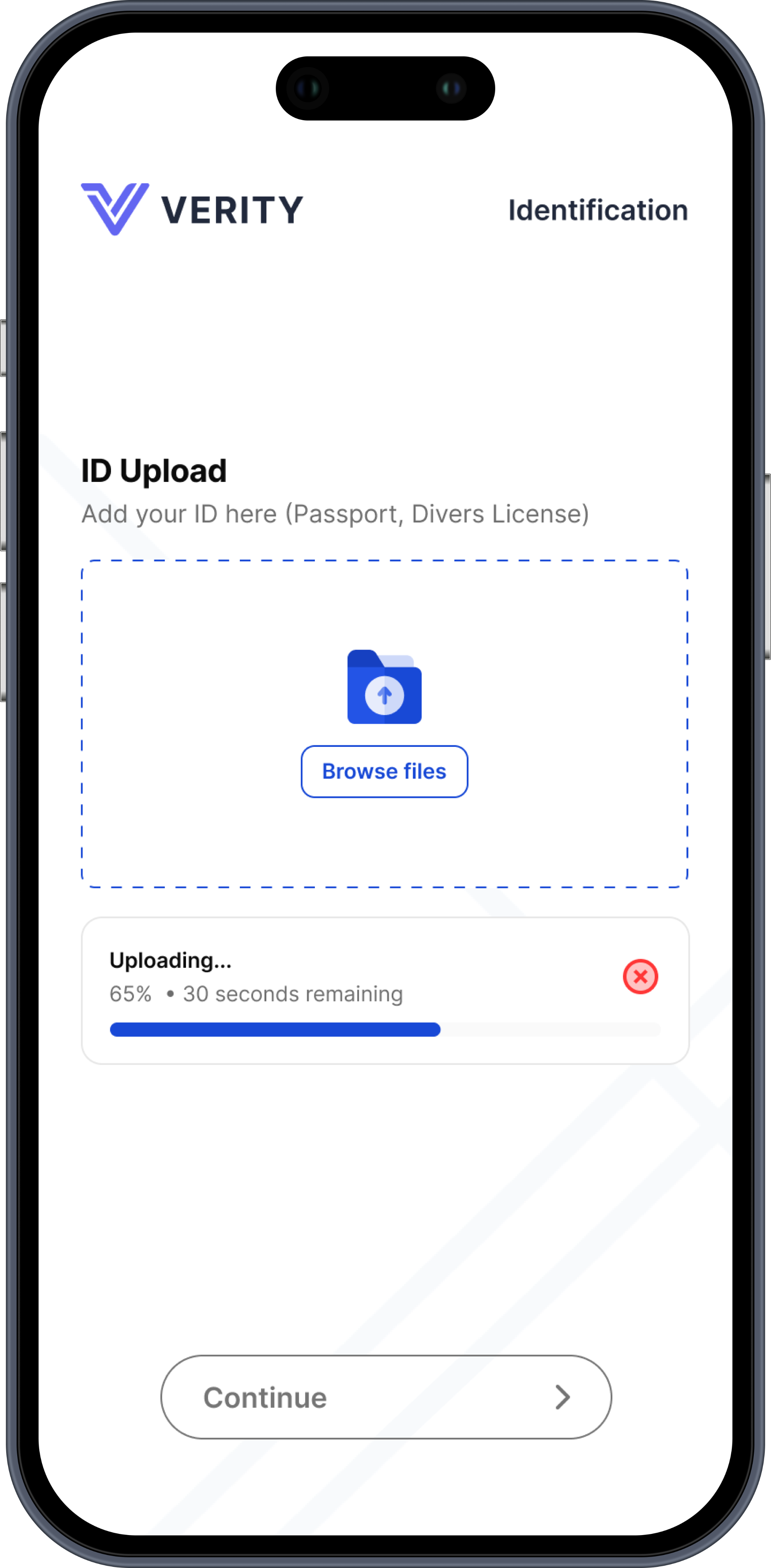
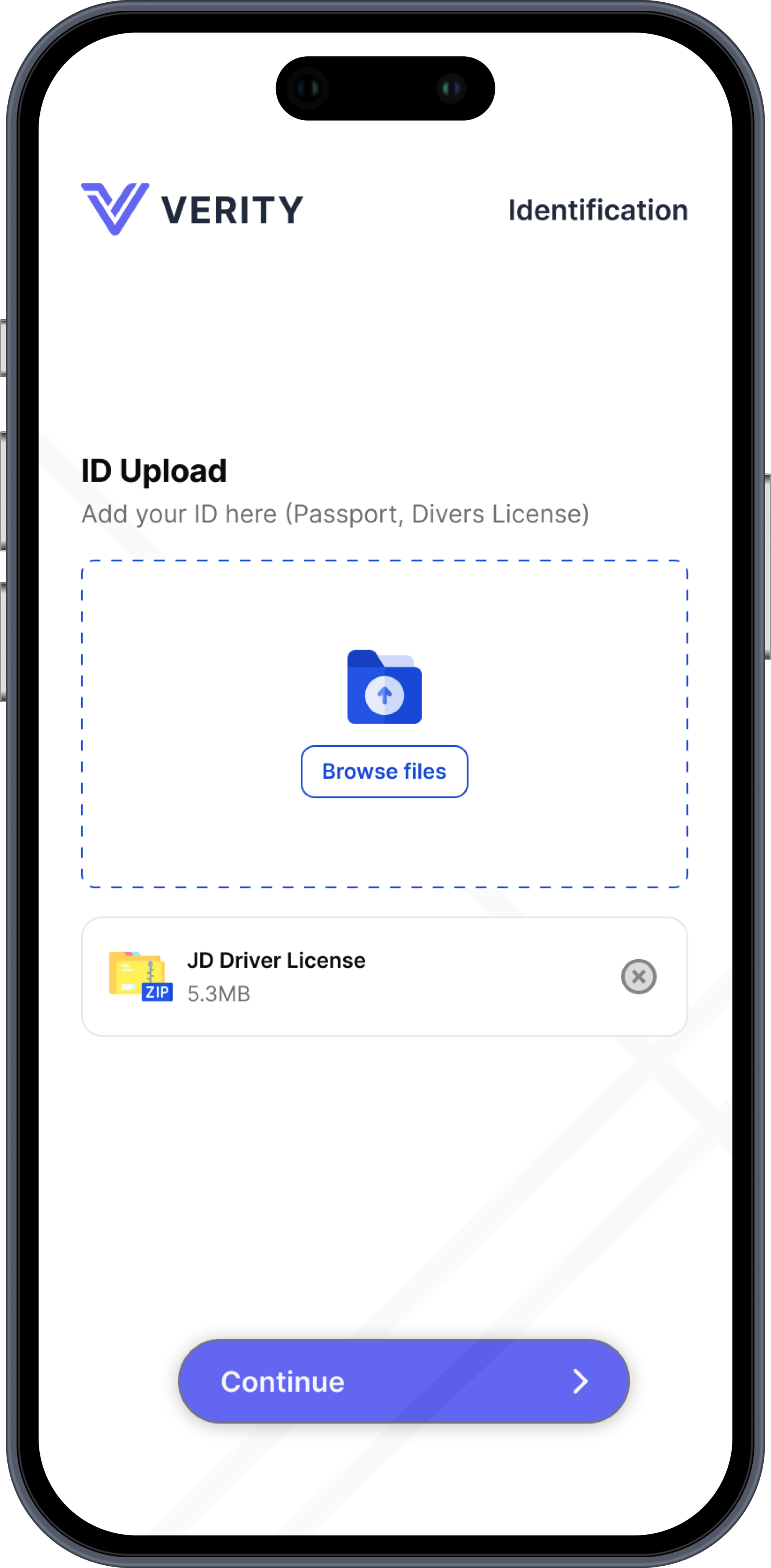
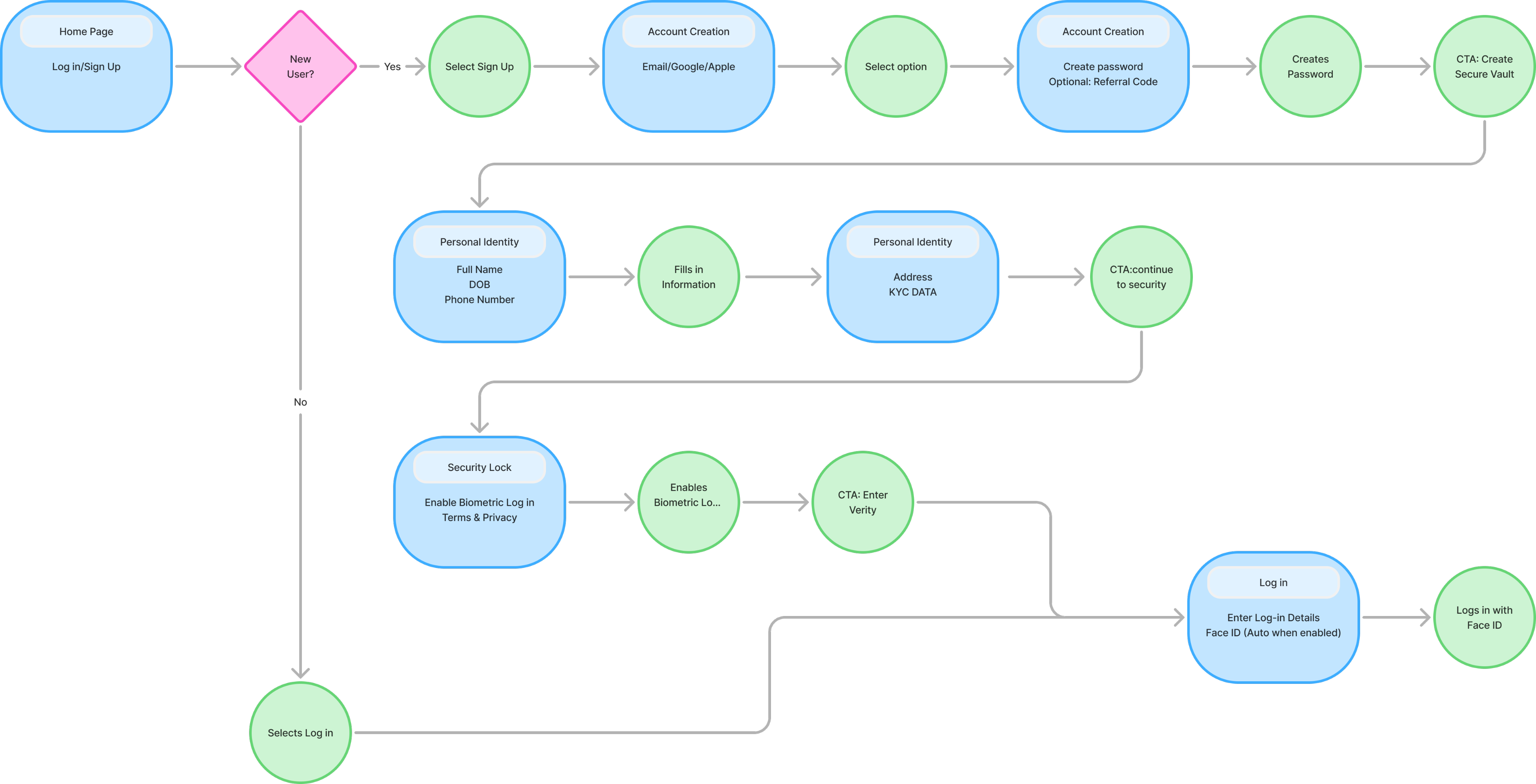
The sign-up flow begins with a choice between one-tap SSO or email registration, immediately followed by a credentialing phase featuring real-time password validation. To manage the high-friction KYC requirements, I grouped twelve data points into a three-stage "Vault" setup: Legal Identity, Security Data, and Document Upload. This linear path utilises persistent labels and a top-right stage indicator to maintain user orientation, culminating in a biometric handoff that secures the account while ensuring full regulatory compliance.
Strategic Design Decisions


  • High-Trust Entry: Integrated SSO and immediate biometric handoff to blend convenience with security.
  • Progressive KYC: Grouped 12+ data points into a three-stage flow to eliminate form fatigue.
  • State-Driven UI: Buttons only activate upon valid data entry to prevent errors and ensure security.
  • Persistent Orientation: A top-right stage indicator provides constant clarity on user progress.
More coming soon...

Let’s work together

1%

Figma

My Work

Welcome to my daily design laboratory. Here, I tackle a new UX challenge to refine my craft and sharpen my strategic thinking. This space documents my journey of rapid prototyping, component building, and solving complex user problems, one sprint at a time.

Sam Malone

Solo Designer

Challenge 1

The Brief


Design a secure, high-conversion entry point for Verity, an institutional-grade asset management platform. The primary challenge was to transform a legally-heavy KYC (Know Your Customer) process into a premium "Vault Creation" experience within a 24-hour timeframe.


Scope and Focus


This case study focuses exclusively on the initial sign-up and identity verification flow. By isolating this phase, I optimised the most critical conversion point: the transition from an interested visitor to a verified investor.

What is Verity?


Verity is a disruptive Fintech firm specialising in fractional asset management.


  • The Vision: To democratise access to exclusive investment classes such as venture capital, private equity, and luxury real estate.
  • The Problem: High-value investing usually involves manual paperwork and significant friction.
  • The Solution: A digital-first platform where transparency is the core product. The name Verity reflects the brand's commitment to blockchain-backed asset verification and institutional-grade security.

User Flow


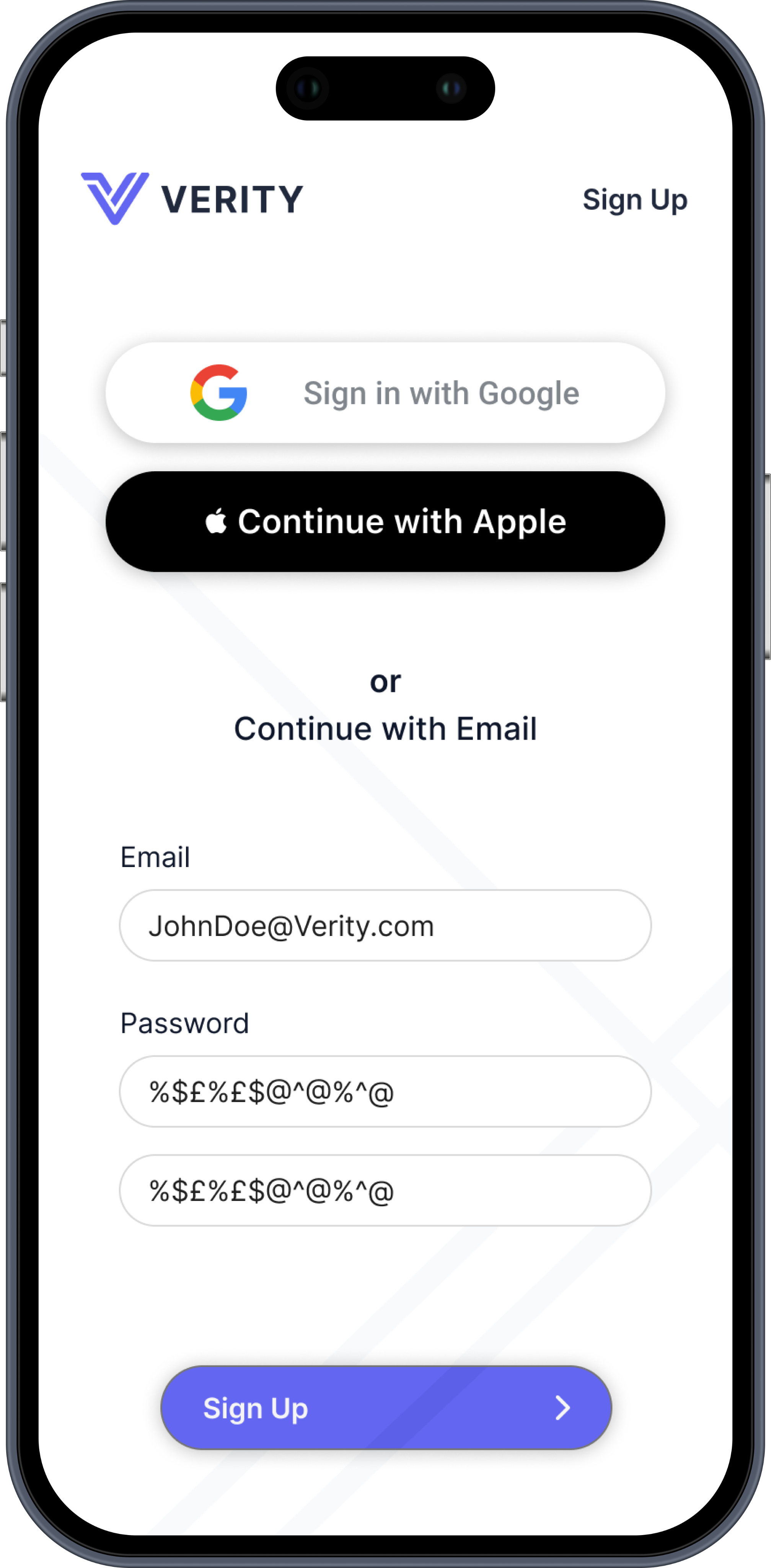
The sign-up flow begins with a choice between one-tap SSO or email registration, immediately followed by a credentialing phase featuring real-time password validation. To manage the high-friction KYC requirements, I grouped twelve data points into a three-stage "Vault" setup: Legal Identity, Security Data, and Document Upload. This linear path utilises persistent labels and a top-right stage indicator to maintain user orientation, culminating in a biometric handoff that secures the account while ensuring full regulatory compliance.

Strategic Design Decisions


  • High-Trust Entry: Integrated SSO and immediate biometric handoff to blend convenience with security.
  • Progressive KYC: Grouped 12+ data points into a three-stage flow to eliminate form fatigue.
  • State-Driven UI: Buttons only activate upon valid data entry to prevent errors and ensure security.
  • Persistent Orientation: A top-right stage indicator provides constant clarity on user progress.
More coming soon...

Let’s work together

1%

Figma

My Work

Welcome to my daily design laboratory. Here, I tackle a new UX challenge to refine my craft and sharpen my strategic thinking. This space documents my journey of rapid prototyping, component building, and solving complex user problems, one sprint at a time.

Sam Malone

Solo Designer

Challenge 1

The Brief


Design a secure, high-conversion entry point for Verity, an institutional-grade asset management platform. The primary challenge was to transform a legally-heavy KYC (Know Your Customer) process into a premium "Vault Creation" experience within a 24-hour timeframe.


Scope and Focus


This case study focuses exclusively on the initial sign-up and identity verification flow. By isolating this phase, I optimised the most critical conversion point: the transition from an interested visitor to a verified investor.

What is Verity?


Verity is a disruptive Fintech firm specialising in fractional asset management.


  • The Vision: To democratise access to exclusive investment classes such as venture capital, private equity, and luxury real estate.
  • The Problem: High-value investing usually involves manual paperwork and significant friction.
  • The Solution: A digital-first platform where transparency is the core product. The name Verity reflects the brand's commitment to blockchain-backed asset verification and institutional-grade security.

User Flow


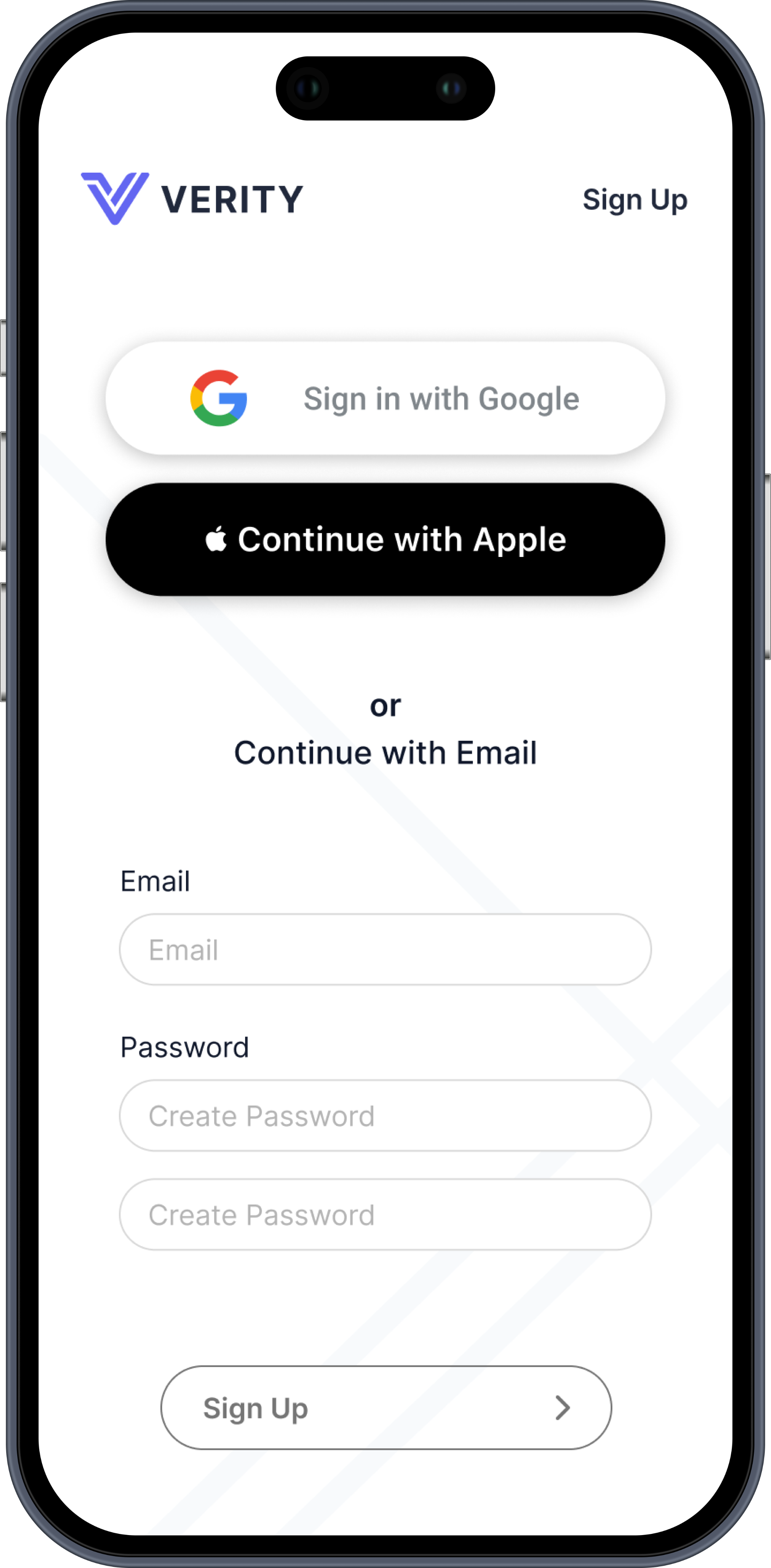
The sign-up flow begins with a choice between one-tap SSO or email registration, immediately followed by a credentialing phase featuring real-time password validation. To manage the high-friction KYC requirements, I grouped twelve data points into a three-stage "Vault" setup: Legal Identity, Security Data, and Document Upload. This linear path utilises persistent labels and a top-right stage indicator to maintain user orientation, culminating in a biometric handoff that secures the account while ensuring full regulatory compliance.

Strategic Design Decisions


  • High-Trust Entry: Integrated SSO and immediate biometric handoff to blend convenience with security.
  • Progressive KYC: Grouped 12+ data points into a three-stage flow to eliminate form fatigue.
  • State-Driven UI: Buttons only activate upon valid data entry to prevent errors and ensure security.
  • Persistent Orientation: A top-right stage indicator provides constant clarity on user progress.
More coming soon...